zimkit /zim·kit/, from the Swahili kuazima, "to borrow". The kit you borrow, right where you work.
Pilot launching in Westlands, Nairobi
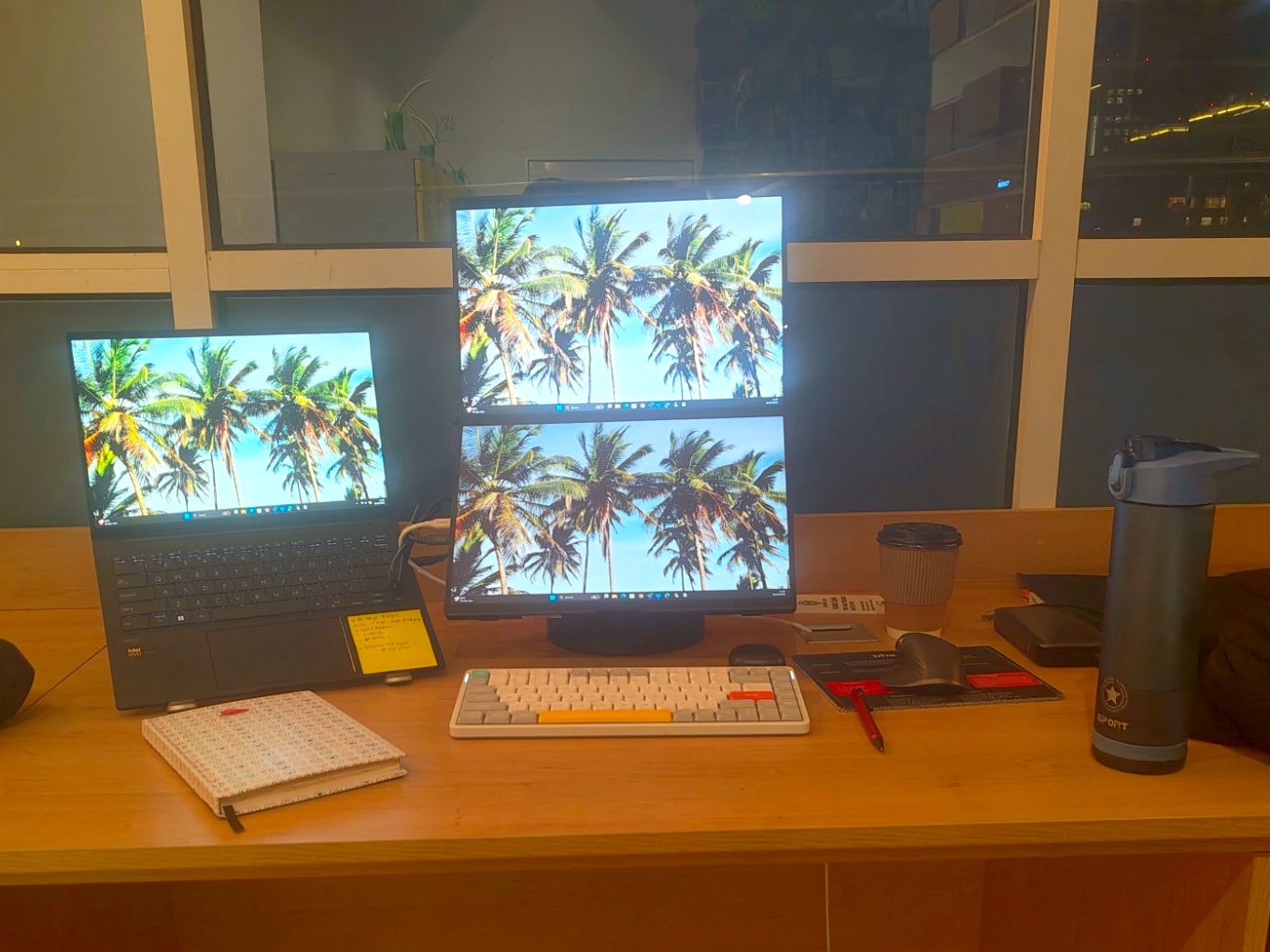
Need a second screen today? Zimkit it.
Borrow a portable monitor for the day, right at your coworking space. Book on your phone, pay with M-Pesa, and grab it from the Zimkit box. Bring it back before you leave.
- 500 KES per day
- Pay with M-Pesa
- No staff, no queues
How it works
Four steps. A few minutes. A bigger workspace.
-
1
Book
Scan the QR code at your space or open Zimkit on your phone. Pick today and check that a screen is free.
-
2
Pay with M-Pesa
Confirm the prompt on your phone. No card, no cash, no paperwork.
-
3
Collect
Get your code by SMS and open the Zimkit box. Your screen and cables are waiting.
-
4
Return
Done for the day? Put everything back in the box before closing time and snap a quick photo. That's it.
What's in the kit
A full second screen, ready to plug in.
Laptop screens are small. Spreadsheets, code, design and video calls all go faster with a second screen, and you don't have to buy or carry one.
- 15.6" Full HD portable monitorSlim, light, with its own stand
- USB-C and HDMI cablesWorks with most laptops, including MacBooks
- Cleaned and testedEvery screen is checked before each rental
- Coming laterBig 24" and 27" desk monitors, keyboards, mice, chargers, laptop stands and more
Made for people on the move
For anyone who works from anywhere.
Freelancers
Designers, developers, writers and analysts who need more room to work.
Day-pass members
You're at a hot desk today. Get a full setup without hauling one in.
Remote and hybrid workers
Your monitor is at home. Your best work happens here.
Consultants and travellers
In Nairobi for a project or a meeting? Travel light and borrow the rest.
Pilot pricing
500 KES / day
Less than a third of a coworking day pass.
- Portable monitor + USB-C and HDMI cables
- Collect any time the space is open
- Return the same day, before closing
- Pay with M-Pesa
Pilot price. It may change after the pilot. Waitlist members hear first.
FAQ
Good questions.
Will it work with my laptop?
Most likely, yes. The screen connects with a single USB-C cable (most newer laptops, including MacBooks) or with HDMI. Not sure? Tell us your laptop model when you join the waitlist and we'll check.
Where is Zimkit available?
We're starting with a pilot at a coworking space in Westlands, Nairobi. Join the waitlist and we'll tell you the exact location at launch. Want Zimkit at your space? Let us know.
Do I need to create an account?
Just your name and M-Pesa number. The first time you rent, we'll also ask for a quick one-time ID check. It keeps the kit safe and the price low for everyone.
What if I return it late?
You'll get an SMS reminder before closing time. Late returns get a small fee, because another member may have booked the screen for the next day.
What if something breaks?
Accidents happen. Tell us straight away through the app. We check every screen when it comes back, and the photos you take at collection and return keep things fair.
Can I take it home?
Not during the pilot. Zimkit screens are for use at the coworking space during the day. Longer rentals may come later. Tell us if you'd use them.
Early access
Be first to Zimkit.
Join the waitlist for launch news, the exact pilot location and an early-access offer for founding members.
- No spam, just launch updates
- We'll only contact you about Zimkit
- Ask us to delete your details any time